 USA GREAT
Schools, Education Centers and Teachers
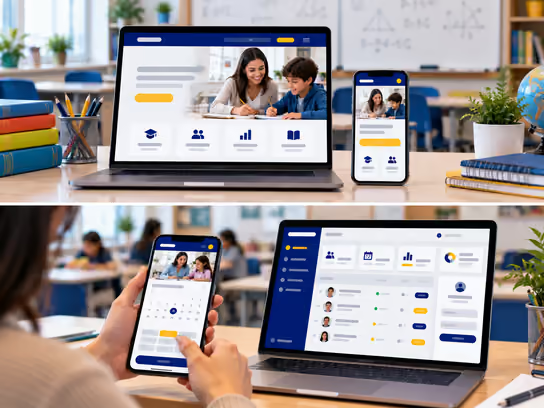
1. Digital Solutions for Schools, Education Centers, Teachers and Tutors
Schools, education centers and independent teachers need a professional digital presence that helps students and parents learn about educational programs, grade levels, available subjects, teacher qualifications, class schedules and how to enroll. A learning platform is a digital system that lets a teacher or institution create a private learning space to deliver lessons and courses, track student progress, manage homework and quizzes and collect fees and subscriptions.
Not all learning platforms serve the same purpose. There is a big difference between a teacher's website that presents services and takes bookings, a system that manages school or education center operations and an e-learning platform that offers recorded and live lessons. On this page, we explain the types, components and options so you know what fits your needs before you start. You can also begin with an informational website and add learning and management systems over time.
2. Types of Educational Websites and Platforms
- Informational website for a school or education center: Presents grade levels, programs, curricula, activities, teacher qualifications, enrollment information and contact details. Example: a private school website that shows its grade levels, activities, admission requirements and open house dates, with a form to request enrollment information.
- Website or platform for an individual teacher: A website under your own name and brand that showcases your specialties and qualifications, receives lesson requests, sells your courses and tracks student progress. Example: a math teacher who offers courses and lessons to high school students through a monthly subscription.
- Platform for an education center or academy: Brings together multiple teachers, subjects and student groups, with management of schedules, attendance, subscriptions and performance reports. Example: an academy that teaches English, math and science.
- School or education center management system: A web application that organizes students, teachers, classes, schedules, attendance, homework, fees and reports, with different permissions for staff, teachers and parents. Example: a center that runs multiple study groups and needs to assign students to classes, track attendance and organize teacher schedules and payments.
- Multi-teacher learning platform: Each teacher creates an account, uploads courses and sets prices, while the platform owner manages payments, commissions and students. Example: a platform specializing in a specific subject or educational market.
- Live private tutoring platform: Connects students with teachers and allows appointment booking, payments, live lessons and reviews. Example: a platform for booking a private tutor by the hour.
3. What a Learning Platform Includes
Student, Parent and Visitor Portal
- Learn about the school, center or independent teacher.
- Browse available programs, grade levels, subjects and courses.
- Review teachers' qualifications and specialties.
- Submit an enrollment request or inquiry, or book a trial lesson.
- Create an account and sign in as a student or parent.
- Watch recorded lessons and join live lessons.
- Download files and study notes, submit homework and take quizzes.
- Track attendance, grades and progress.
- Contact the teacher through approved channels.
- View fees and invoices and pay online when the service is available.
- Receive course completion certificates when offered.
Teacher and Staff Dashboard
- Create courses and divide them into units and lessons.
- Upload videos, study notes and supporting materials.
- Create questions, quizzes and question banks.
- Grade assignments and provide evaluations and feedback.
- Organize schedules, lessons and study groups.
- Record student attendance and absences.
- Track each student's progress.
- Manage live lessons and meeting links.
- Send announcements and alerts to students and parents.
- View earnings or invoices based on permissions.
Admin Panel
- Manage accounts and permissions for students, parents, teachers and staff.
- Manage grade levels, subjects, programs and courses.
- Organize classes, groups, schedules and class capacity.
- Manage enrollment and admission requests.
- Manage fees, subscriptions, coupons, payments and refunds.
- View reports on enrollment, attendance, academic progress and sales.
- Manage branches, classrooms and learning resources.
- Manage notifications, third-party integrations and activity logs.
- Oversee security and backup settings.
Learning Management System (LMS)
The LMS serves as the educational core of the platform. It manages each student's course experience, from enrollment and access to lessons through progress tracking, quizzes and certificates.
Supporting Systems
| System | Purpose |
|---|---|
| Learning management system (LMS) | Organize courses, lessons, homework, quizzes and academic progress |
| Student information system (SIS) | Manage student data, enrollment, classes and academic records |
| Customer relationship management (CRM) | Track enrollment requests and inquiries |
| Lesson booking system | Show teacher availability and organize private and group lessons |
| Video hosting | Host videos and control who can watch them |
| Google Calendar or Microsoft Outlook | Sync schedules and appointments |
| Zoom or Microsoft Teams | Deliver live online lessons and meetings |
| BigBlueButton | Virtual classrooms with teaching tools such as interactive whiteboards, screen sharing and participant collaboration |
| Moodle or Google Classroom | Examples of learning systems that can be used or integrated based on project requirements |
| Attendance management system | Record student attendance and track absences and late arrivals |
| Stripe or PayPal | Collect fees for lessons, courses and subscriptions |
| Notification system | Send enrollment confirmations, lesson reminders and alerts |
| Multi-factor authentication (MFA) | Extra protection for admin and teacher accounts |
| Backup and activity logging | Support data backup and recovery and record important system activities |
You don't need to build every system from scratch. You can use established third-party services for video hosting, payment processing such as Stripe and live lessons. This is often more affordable and faster. Privacy and data storage policies should be evaluated before connecting any third-party service, especially when the platform handles data about minors.
4. Three Ways to Teach Live
- Zoom or Google Meet links: The student books through your platform, receives the lesson link after payment and the lesson takes place outside the website. Often a simple, lower-cost way to get started.
- Live classroom inside your platform: The student and teacher join a virtual classroom on the website with audio, video, screen sharing and chat, without leaving the platform. This can be built with specialized services such as Daily, LiveKit or Agora, and we build the user experience on top of them.
- Full interactive virtual classroom: Combines live video with an interactive whiteboard, files, activities and quizzes. Specialized education solutions such as BigBlueButton can be used.
What a Live Classroom Can Include
Imagine a student has booked a math lesson at 5 p.m. When they sign in to their account, they click "Join Lesson" and may find:
- Live audio and video between the student and the teacher.
- An interactive whiteboard that both participants can use, especially for math and science.
- Screen sharing by the teacher.
- File sharing and homework exchange.
- Text chat during the lesson.
- A lesson timer with an alert before the session ends.
- Lesson recording when permitted, with appropriate consent and privacy controls, especially for children.
- A parent dashboard for viewing schedules, attendance and progress reports.
Is a Live Classroom Expensive?
We separate development cost (one-time) from operating cost (ongoing):
| Solution | Development Cost | Operating Cost |
|---|---|---|
| Zoom / Meet links | Low | Depends on the service subscription |
| Embedded video classroom | Medium | Often based on usage minutes |
| Full interactive classroom | Higher | Video usage, storage and interactive service fees |
| Fully custom streaming infrastructure | Very high | Servers, maintenance and monitoring |
A private lesson between one teacher and one student is technically different from one teacher streaming to hundreds of students. The first requires a low-latency interactive connection, while the second may be better suited to a large-scale streaming system.
5. Advanced Features
Smart Class Scheduling and Conflict Prevention
Imagine your education center has several teachers and offers private and group lessons in different subjects, with limited classrooms and many time slots. Instead of creating schedules manually, the system can show teacher availability, classroom capacity and the number of enrolled students, then check for conflicts before confirming any lesson.
If a staff member tries to book the same teacher for two lessons at the same time, or to use a classroom that is already booked, the system shows an alert. When a lesson time changes, the affected students and parents can be notified and the schedule updated automatically.
Student Progress Tracking and Parent Communication
Imagine a parent wants to follow their child's progress in math and see which lessons they attended, which homework they completed and which topics need review. The teacher can record attendance, add homework and quiz grades and write helpful learning notes. The system then shows a progress summary in the parent's account based on approved permissions.
The system can also send alerts about incomplete homework or upcoming appointments and allow parents to schedule meetings with teachers to discuss academic progress. Assessments and educational decisions remain the responsibility of teachers and the relevant administration. Automated reports do not replace professional judgment.
6. Development and Operating Cost Levels
Costs vary based on the type of institution, the number of students and teachers, the amount of learning content, the features required, the level of security and third-party integrations.
| Solution Type | Development Cost | Operating Cost |
|---|---|---|
| Personal website for an independent teacher | Low | Low |
| Informational website for a school or education center | Low to medium | Low |
| Website with lesson booking and enrollment requests | Medium | Low to medium |
| Education center management system with student schedules | Medium to high | Medium |
| E-learning platform with recorded lessons | High | Medium to high |
| Live learning platform with virtual classrooms | High | High |
| Integrated system for a multi-branch educational institution | High | High |
Operating costs may include hosting, maintenance, storage, backups, notification services, third-party subscriptions, video hosting and live streaming.
7. Do You Need Everything?
No. You can start with what you need now and add the rest as your business grows. The following tiers are illustrative, not fixed packages. Final costs are defined in a quote based on your project's requirements.
| Feature | Starter | Advanced | Comprehensive |
|---|---|---|---|
| Professional informational website | ✓ | ✓ | ✓ |
| Program and subject pages | ✓ | ✓ | ✓ |
| Teacher profiles and qualifications | ✓ | ✓ | ✓ |
| Inquiry or enrollment request form | ✓ | ✓ | ✓ |
| Online lesson booking | — | ✓ | ✓ |
| Student and parent accounts | — | ✓ | ✓ |
| Recorded courses and online payments | — | ✓ | ✓ |
| Teacher and staff dashboard | — | ✓ | ✓ |
| Class and group management | — | ✓ | ✓ |
| Attendance management | — | ✓ | ✓ |
| Automated reminders and notifications | — | ✓ | ✓ |
| Homework and quiz management | — | — | ✓ |
| Academic progress tracking | — | — | ✓ |
| Live virtual classrooms | — | — | ✓ |
| Multiple teachers with fee and subscription management | — | — | ✓ |
| Teacher commissions | — | — | Optional |
| Advanced permissions with admin and academic reports | — | — | ✓ |
| Multi-branch support | — | — | ✓ |
8. How Teachers Earn
Sell a course at a fixed price, offer a monthly subscription, charge for private lessons by the hour or create learning packages that combine more than one subject or level.
9. How We Work
- We learn how you teach or how your school or center works, plus your number of students and subjects.
- We work with you to choose the right features for your initial launch.
- We design and build the platform and share it with you for review.
- We launch the platform and provide post-launch support and improvements.
10. Legal and Privacy Considerations
Schools, education centers and tutoring platforms handle personal and educational information that may include student and parent data, attendance records, grades, evaluations, messages and payment information. Systems that serve children and minors require extra attention to privacy, safety and permissions. When developing a website or web application for this sector, consider the following:
- Privacy of education records: The Family Educational Rights and Privacy Act (FERPA) may apply to educational institutions and covered records in the United States, depending on the type of institution, its funding source and the type of data and services.
- Children's privacy: The Children's Online Privacy Protection Act (COPPA) may apply to certain online services directed to children under 13, or to services that knowingly collect their personal information.
- Parental consent: Some services may require appropriate consent before enrolling minors, processing their data or allowing them to use certain features.
- Accounts for minor students: Registration, permissions and communication should be designed to suit each age group, with clearly defined parent roles and responsibilities for the educational institution.
- Student safety: Institutions may need clear policies for teacher-student communication, managing virtual meetings and reporting inappropriate behavior.
- Verifying teacher qualifications: Some educational activities may be subject to licensing, background checks or credential verification. Displaying a teacher's profile on the website does not mean that all information in the profile has been independently verified.
- Recording live lessons: Audio and video recordings may require appropriate consent or notice, especially when minors participate.
- Protecting educational content: Intellectual property rights and licenses should be respected when publishing third-party books, files, videos and tests.
- Payments and subscriptions: Course fees, recurring subscriptions and cancellation and refund policies may be subject to consumer protection laws and contractual requirements.
- Analytics and advertising tools: Tracking and advertising tools should be evaluated carefully, especially on pages and accounts used by children.
- Digital accessibility: Laws such as the Americans with Disabilities Act (ADA) and Section 504 of the Rehabilitation Act may apply, depending on the type of institution and services. WCAG standards can provide technical guidance.
- State laws: Additional state laws protecting student data and privacy may apply in the United States.
We can develop technical features that help manage student and parent accounts, control permissions, protect data and organize communication and virtual classrooms. However, identifying applicable legal, educational and security requirements and verifying compliance with them require an independent assessment by the institution and its qualified advisors. Implementing security features or using a well-known learning platform does not guarantee compliance with any specific law or standard.
11. Ready to Start Your Learning Platform?
Whether you are an independent teacher, run an education center or represent a school looking for an e-learning platform, you don't need technical knowledge. Tell us your idea and we'll help you find the right solution.