 USA GREAT
Water Filtration and Treatment Companies
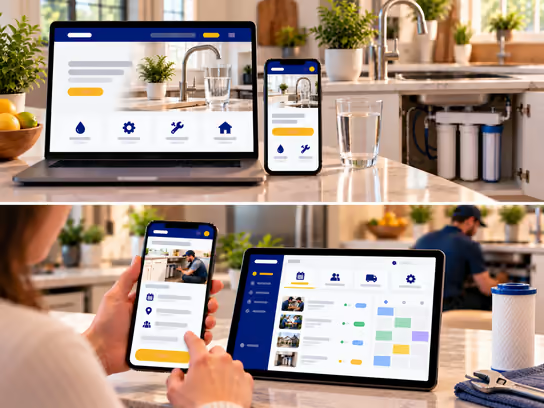
1. Digital Solutions for Water Filtration and Treatment Companies
Companies that sell water filters, under-sink and whole-house filtration systems, and water treatment and purification equipment need a website that explains their products, services, service areas, and how customers can request water testing, installation, or maintenance. We help you present the specifications your company provides, appointment availability, and contact information without making health claims or unsupported promises about water quality.
If your company installs different types of equipment and handles recurring filter replacements and maintenance, we can develop a web application that links each installed unit to its location, installation date, filter type, and upcoming service visits. You can start with a website that presents your services, then add equipment records, technician management, estimates, and invoices.
2. Types of Websites and Systems
- Informational website for a water filtration company: Presents residential filters, purification and treatment equipment, services, service areas, and contact details. Example: a company explains the differences between under-sink and whole-house systems using the specifications of the products it sells.
- Website for water testing and inspection requests: Collects the customer's location, property type, description of the issue, and appointment request. Example: a restaurant requests a visit to test its water and assess its filtration needs.
- Website for installation and recurring maintenance: Presents installation, cartridge and filter replacement, and follow-up services. Example: a customer requests a filter replacement for a previously installed unit.
- Equipment and service visit management system: A web application that records installed equipment, installation dates, components, maintenance schedules, and assigned technicians. Example: a company tracks units installed in homes, offices, and restaurants.
3. Core Website and System Components
Customer and Visitor Interface
- Explore the available filtration, purification, and treatment equipment and its specifications.
- Learn the differences between under-sink and whole-house systems.
- View service areas, business hours, and contact information.
- Request a water testing visit or an installation-site inspection.
- Enter the property type, address, and details of any existing equipment.
- Attach photos of the equipment or installation location when needed.
- Receive appointment confirmations and the company's approved visit instructions.
- Request an estimate for equipment, installation, or maintenance.
- Review and approve an estimate when that feature is available.
- Book a filter replacement or equipment maintenance visit.
- View equipment and service history when customer accounts are available.
- Receive filter replacement reminders based on company settings.
- View invoices and payments, and submit follow-up requests.
Business Owner and Staff Dashboard
- Receive and categorize testing, installation and filter replacement requests.
- Review customer addresses, property types, and equipment details.
- Schedule testing, inspection, and installation visits.
- Assign jobs to technicians based on specialty and availability.
- Record equipment specifications and identification numbers, when available.
- Add test results as provided by the business owner without changing their meaning.
- Prepare estimates for systems, replacement parts, and installation.
- Record installation dates, filter types, and replacement schedules.
- Track inventory of cartridges, filters, and supplies.
- Add authorized visit notes and photos.
- Prepare invoices and record payments.
- Send reminders and appointment updates.
Administration Dashboard
- Manage technician and employee accounts and permissions.
- Manage equipment categories, services, and coverage areas.
- Set booking, visit, and maintenance scheduling rules.
- Maintain records of equipment installed for customers.
- Set reminder intervals based on equipment, filter type, and company instructions.
- Manage estimates, installation work orders, and invoices.
- Organize installation and maintenance teams, and schedules.
- Track recorded replacement parts and inventory.
- Manage product documents and verified certifications when available.
- Review visit, maintenance, and recorded revenue reports.
- Manage locations, integrations, and notifications.
- Review activity logs and oversee security and backups.
4. Supporting Technical Systems
| System | Purpose |
|---|---|
| Customer relationship management (CRM) | Organize customers, their equipment, and follow-up requests |
| Visit scheduling system | Organize water testing, installation, and maintenance requests and appointments |
| Field service management (FSM) | Assign visits to technicians and track job status |
| Equipment and filter records | Store equipment types, installation dates, filters, and replacement schedules |
| Estimate management system | Prepare equipment, installation, and maintenance estimates, and track approvals |
| Inventory management system | Track filters, cartridges, replacement parts, and supplies |
| Google Calendar or Microsoft Outlook | Sync technician schedules and service appointments |
| Google Maps | Show service areas and help locate service visits |
| Document management system | Store testing reports as provided by the company and equipment documents |
| Stripe or PayPal | Collect online payments when needed |
| Electronic signature system | Collect approvals for appropriate estimates and agreements |
| Notification system | Send filter replacement reminders and appointment confirmations |
| Backups and activity logs | Support data recovery and record important actions |
A business selling a limited selection of equipment may only need a website with an inspection request form. A company that installs and maintains multiple systems may need equipment and filter records, technician schedules and reminders.
5. Advanced Features
Filter Replacement Reminders
Imagine your company installs an under-sink filtration system for a customer and records the installation date, equipment type, and filters it uses. The system can calculate a follow-up date using the interval your company sets for each type, then prepare a reminder before the proposed service visit.
The customer can request a convenient appointment, and staff can review previous visits and the parts needed before confirming the booking. Reminder accuracy depends on correct installation records, product instructions, and updates entered by the company. A reminder does not confirm water quality or equipment performance.
From Water Testing Visit to Estimate and Installation
Imagine a restaurant owner requests water testing to assess the needs of their location. A staff member records the visit request and schedules a technician, who then adds notes, the test results accepted by the company, and any photos authorized for storage.
After reviewing the results, staff can prepare an estimate for a suitable system based on the company's assessment, then turn an accepted estimate into an installation work order, follow-up schedule, and invoice. The website displays test results as supplied by the business owner; it does not operate as an accredited laboratory or testing authority.
6. Development and Operating Cost Levels
Costs vary with the size of the business, number of customers, teams, and locations, booking and follow-up features, payments, security requirements, and third-party integrations.
| Solution type | Development cost | Operating cost |
|---|---|---|
| Informational website for water equipment and services | Low | Low |
| Website with water testing and inspection requests | Low to medium | Low |
| Website with installation and filter replacement booking | Medium | Low to medium |
| Equipment records and maintenance reminder system | Medium to high | Medium |
| Technician, estimate and inventory management system | High | Medium to high |
| Integrated system for multiple branches and locations | High | High |
Operating costs may include hosting, maintenance, backups, notification and mapping services, third-party subscriptions, and payment processing fees. Actual costs depend on the project scope, number of users and required integrations.
7. Digital Solution Levels
You can start with a website that presents your services and receives requests, then gradually add booking, staff and visit management, agreements, and invoices as your business needs evolve.
| Feature | Starter | Advanced | Comprehensive |
|---|---|---|---|
| Professional informational website | ✓ | ✓ | ✓ |
| Equipment and service pages | ✓ | ✓ | ✓ |
| Service areas and contact information | ✓ | ✓ | ✓ |
| Inquiry and water testing request form | ✓ | ✓ | ✓ |
| Product specifications | ✓ | ✓ | ✓ |
| Online inspection and installation booking | — | ✓ | ✓ |
| Filter replacement and maintenance requests | — | ✓ | ✓ |
| Staff and technician dashboard | — | ✓ | ✓ |
| Service visit scheduling | — | ✓ | ✓ |
| Installed equipment records | — | ✓ | ✓ |
| Estimate preparation | — | ✓ | ✓ |
| Filter replacement reminders | — | ✓ | ✓ |
| Link equipment to installation dates and filter types | — | — | ✓ |
| Inventory and replacement parts management | — | — | ✓ |
| Service visit and installation work order tracking | — | — | ✓ |
| Online invoices and payments | — | — | ✓ |
| Accounting software integrations | — | — | ✓ |
| Advanced permissions and activity logs | — | — | ✓ |
| Advanced operational and management reports | — | — | ✓ |
| Support for multiple branches and service areas | — | — | ✓ |
These levels illustrate possible project scopes; they are not fixed packages. We define the final features and costs in an estimate based on your services, number of employees, locations, and existing systems.
8. Legal and Privacy Considerations
A company may handle customer names, service addresses, phone numbers, appointment schedules, photos, agreements, invoices, and payment information. Legal requirements may vary by service, state and type of agreement. When developing a website or web application for this industry, consider the following:
- Licensing and business requirements: Installing water treatment systems or related connections may require professional or local licenses and permits, depending on the state and work involved. Creating a website or booking system does not satisfy those requirements.
- Water quality claims and advertising: Equipment performance descriptions and water quality claims must be based on accurate, supportable information and may be subject to advertising and consumer protection rules. The website does not make medical or health promises or claim that a device makes water safe or prevents disease.
- Product certifications: A certification such as NSF should only be displayed when the specific product actually holds it, with attention to the scope of what the certification covers.
- Water testing results: The website displays results and notes as provided by the business owner. It is not an accredited laboratory or testing authority and does not independently verify the results.
- Customer addresses and equipment locations: Home, office, and restaurant addresses, access details, and visit schedules should be protected, with access limited to authorized personnel.
- Estimates and agreements: Installation and maintenance work may be subject to disclosure, cancellation, and warranty requirements depending on the state and contractual arrangement.
- Site photos and documents: Appropriate permissions should be obtained before publishing customer-site photos or using their reports for marketing.
- Renewing maintenance agreements: Filter replacement plans and automatically renewing subscriptions may be subject to disclosure, consent, and cancellation requirements.
- Customer data protection: State privacy laws, such as the California Consumer Privacy Act (CCPA), may apply depending on the business, the volume of data, and the law's scope.
- Electronic signatures: Electronic signatures may be governed by laws such as the E-SIGN Act and applicable state laws. Using an electronic signature tool does not guarantee that every agreement or document is legally valid.
- Online payments: Handling payment card information may require compliance with PCI DSS standards, depending on the payment method and the parties processing the data.
- Text messages and marketing communications: Certain automated calls and marketing messages may be subject to laws such as the Telephone Consumer Protection Act (TCPA), including consent and opt-out requirements.
- Digital accessibility: Accessibility requirements may apply under the Americans with Disabilities Act (ADA) or other laws, depending on the business. WCAG guidelines can serve as a technical reference.
- Analytics and advertising tools: Appropriate privacy policies and disclosures should be considered when using tools such as Google Analytics, Google Ads, and Meta Pixel.
We can develop technical features to help organize customer data, control access permissions, and manage requests, agreements, and payments. However, identifying applicable legal and professional requirements and verifying compliance require an independent assessment by the company and its qualified advisers. Implementing security features or using established third-party services does not guarantee compliance with any particular law or standard.
9. Start Building Your Water Treatment Company's Digital Presence
Whether you sell residential filters, install under-sink and whole-house filtration systems or provide testing, maintenance and filter replacement services for offices and restaurants, we help you choose the right solution—from a website that showcases equipment and accepts inspection requests to a web application that manages installations, equipment records, and recurring visits. You can add more features as your business grows.