 USA GREAT
Real Estate and Property Marketing
1. Digital Solutions for Real Estate Marketing
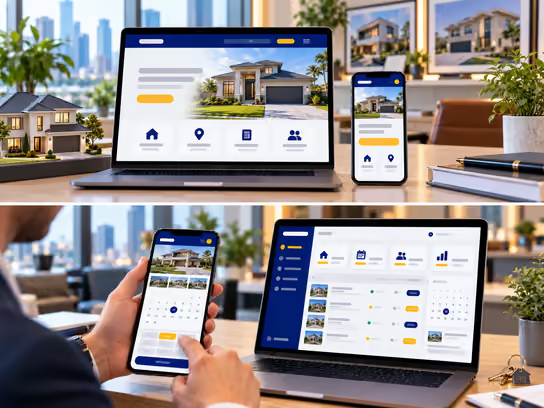
Real estate agents, brokers and marketing firms need a professional digital presence that helps buyers, renters and investors explore available properties and compare locations, features and prices. It should also let them contact the agent or representative responsible for each property. We help you build a website that presents residential and commercial properties in an organized way. It can include property photos and descriptions, search filters, inquiry forms and showing request forms.
If you manage a team of agents or handle a large number of properties and leads, we can develop a web application that helps you manage property listings, route inquiries and schedule showings. It can also track marketing campaigns and each stage of client communication. We can also explore integrations with MLS and IDX services and real estate CRM systems when eligibility requirements, agreements and appropriate APIs are in place.
2. Types of Websites and Systems
- Personal website for a real estate agent or broker: Presents the agent's professional profile, areas of focus, marketed properties and contact information. It can also receive inquiries from people interested in buying, selling or renting property. Example: an agent who specializes in residential homes displays available properties, information about the neighborhoods they serve and a form to schedule a consultation to discuss the client's needs.
- Website for a real estate marketing or brokerage firm: Presents the firm's services, its team of agents and its residential and commercial properties. Each property has its own page, with search and filter options. Example: a firm that lists homes, apartments and commercial properties lets visitors search by city, price, number of rooms and property type.
- Website for marketing a real estate development: Focuses on a specific development and presents its available units, floor plans, amenities, location and approved marketing information. Example: a firm marketing a new residential development shows unit models, floor plans and amenities, with a form to request information or schedule a visit.
- Real estate marketing and lead management system: A web application that organizes properties, inquiries, showings, ad campaigns and client communication stages. Example: a firm with several agents receives inquiries from its website and ads. It assigns leads to agents and tracks appointments, calls and the status of each opportunity.
3. Core Website and System Components
Buyer, Renter and Visitor Interface
- Browse properties available for sale or rent.
- Search by city, area or ZIP code.
- Filter properties by price, property type, size, bedrooms and bathrooms.
- View properties on an interactive map when the service is available.
- View property photos, features, descriptions and condition information.
- Explore floor plans and virtual tours when provided.
- Save and compare favorite properties when client accounts are offered.
- Send an inquiry about a specific property or request a showing.
- Contact the agent or firm responsible for the property.
- Request help finding a suitable property.
- Receive new property alerts based on the client's preferences and applicable consent requirements.
- Request information about selling or marketing a property.
Real Estate Agent and Marketing Staff Dashboard
- Add properties and update their information when authorized.
- Upload photos, floor plans and marketing materials.
- Track inquiries and categorize leads by request type and property interest.
- Organize showing requests and appointments.
- Log calls, notes and follow-up stages.
- Track the properties linked to each client.
- Manage tasks and reminders.
- Track and report on inquiry sources and marketing campaigns.
- Collaborate with team members and review marketing materials before publishing.
Administration Dashboard
- Manage agent and staff accounts and permissions.
- Manage property listings and published content, with an assigned agent or representative for each property.
- Route inquiries to agents based on predefined rules.
- Manage branches, offices and geographic areas.
- Track lead stages and showing requests.
- Manage area, neighborhood and project pages.
- Review marketing campaigns and inquiry sources.
- Manage MLS and IDX integrations when available.
- View reports on properties, inquiries and appointments.
- Review activity logs and oversee privacy, security and backups.
4. Supporting Technical Systems
| System | Purpose |
|---|---|
| Property listing management system | Organizes property listings, features, photos and status |
| Customer relationship management (CRM) system | Tracks buyers, sellers, renters and leads |
| MLS services | Provide listing data through authorized sources, subject to applicable membership requirements, licenses and agreements |
| IDX services | Display authorized property data on the website according to the data provider's rules |
| RESO Web API | Supports standardized property data exchange when authorized access is available from the data source |
| Google Maps | Shows property locations, areas and nearby services |
| Appointment booking system | Organizes showings and client meetings |
| Google Calendar or Microsoft Outlook | Syncs agent schedules and appointments |
| Lead management system | Categorizes and routes inquiries and tracks communication stages |
| Google Analytics | Analyzes website traffic and engagement with property pages according to privacy settings |
| Google Ads or Meta Ads | Supports real estate ad campaigns in line with platform policies and the law |
| Email notification and alert system | Sends follow-ups and property alerts based on appropriate consent |
| Virtual tour services | Display interactive tours and photos of properties |
| Document management and e-signature system | Organizes marketing files and approvals and collects signatures when needed |
| Task management system | Organizes client follow-up, appointments and responsibilities among team members |
| Backup and activity logging | Support data backup and recovery and record important system changes |
Supporting systems can be chosen based on the size of your business and the nature of your work. An independent agent may need only a property marketing website with inquiry forms, while a brokerage may need an integrated system to manage properties, clients and agents. Building a real estate website does not automatically provide access to MLS data or the right to use it. That depends on membership, eligibility, permissions, agreements and the terms for displaying and updating the data.
5. Advanced Features for Real Estate Marketing
Advanced Property Search and Personalized Alerts
Imagine a client looking for a home in a specific area, within a set price range, with a certain number of bedrooms and other features. The client can use the search tools to define their needs and browse matching properties. If they don't find the right property, they can save their search criteria and turn on alerts after giving the required consent.
When a new property matching those criteria is added, the system sends a notification based on the client's settings. The agent can view saved searches associated with their clients and follow up with interested buyers or renters. Search results and alerts do not guarantee that a property will still be available when the client makes contact.
Lead Routing and Follow-Up Management
Imagine your firm covers several areas, each with its own specialized agents, and receives inquiries from the website and ad campaigns. When a client sends an inquiry about a property, the system records the request and links it to the property and the inquiry source. It then routes the request to an appropriate agent based on the rules set by management.
The agent logs contact attempts, schedules the showing and adds notes about the client's needs. If the inquiry is not addressed within the time frame set by management, the system sends a reminder or reassigns it to someone else. Management can view reports on inquiry sources, follow-up stages and the number of showings. This does not guarantee that any sale or rental will be completed.
6. Development and Operating Cost Levels
Costs vary based on the number of properties and agents, the volume of photos and data, search and map features, the level of customization and third-party integrations.
| Solution Type | Development Cost | Operating Cost |
|---|---|---|
| Personal website for a real estate agent | Low | Low |
| Real estate marketing firm website with property listings | Low to medium | Low to medium |
| Real estate website with advanced search and maps | Medium to high | Medium |
| Website with authorized IDX or MLS integration | Medium to high | Medium to high |
| Agent and lead management system | High | Medium to high |
| Integrated multi-branch real estate platform | High | High |
Operating costs may include hosting, maintenance, image storage, backups, map and notification services and third-party subscriptions. MLS, IDX and real estate data providers may also charge separate fees.
7. Solution Levels
You can start with a website that showcases your properties and services and receives inquiries. You can then add advanced search, agent and client management and real estate integrations over time.
| Feature | Starter | Advanced | Comprehensive |
|---|---|---|---|
| Professional real estate website | ✓ | ✓ | ✓ |
| Service pages and company information | ✓ | ✓ | ✓ |
| Property pages with photos and features | ✓ | ✓ | ✓ |
| Property inquiry form | ✓ | ✓ | ✓ |
| Agent contact information | ✓ | ✓ | ✓ |
| Advanced search and filtering | — | ✓ | ✓ |
| Map view of properties | — | ✓ | ✓ |
| Showing appointment booking | — | ✓ | ✓ |
| Client accounts and favorites lists | — | ✓ | ✓ |
| Individual agent profiles | — | ✓ | ✓ |
| Inquiry and lead management | — | ✓ | ✓ |
| New property alerts | — | ✓ | ✓ |
| Staff and agent dashboard | — | ✓ | ✓ |
| Automatic inquiry routing | — | — | ✓ |
| Campaign and lead source management | — | — | ✓ |
| MLS or IDX integration when eligible | — | — | ✓ |
| Multiple area and branch management | — | — | ✓ |
| External CRM integrations | — | — | ✓ |
| Advanced permissions with marketing and management reports | — | — | ✓ |
These levels are illustrative and help define the project scope. They are not fixed packages. We define the final features and costs in a quote based on your business type and the number of agents and properties you manage. The quote also reflects the licenses and agreements available for using listing data.
8. Legal and Privacy Considerations
Real estate marketing websites handle personal and business information, such as buyer, seller and renter details, property addresses, showing requests and search preferences. Real estate advertising in the United States is also subject to requirements that vary by state and property type. When developing a website or web application for this industry, consider the following:
- Agent and broker licensing: Practicing real estate brokerage may require an appropriate professional license. Building a real estate website does not authorize its owner to act as a broker.
- Fair housing laws: Consider the Fair Housing Act and related local laws. Avoid ads, wording or targeting methods that involve prohibited discrimination in the sale or rental of residential property.
- Real estate advertising: States may require websites and property pages to display the name and license information of the licensed broker or firm.
- MLS and IDX rules: The use of property data, photos and descriptions is subject to the licensing and display terms set by data providers. Additional rules may govern source attribution, data updates and the removal of listings.
- Accuracy of property information: Review prices, sizes, features and availability. Make clear that property information may change and should be verified before a purchase or rental decision.
- Client data protection: U.S. state privacy laws, such as the California Consumer Privacy Act (CCPA), may apply depending on the nature of the business.
- Marketing communications: Marketing texts and calls may be subject to the Telephone Consumer Protection Act (TCPA). Some commercial emails may be subject to the CAN-SPAM Act.
- Digital advertising and targeting: Platforms such as Google Ads and Meta Ads may impose specific restrictions on housing ads and on demographic and geographic targeting.
- Photos and virtual tours: Make sure you have the rights to use photos, videos, floor plans and virtual tours. Obtain the appropriate permission to publish them.
- Occupied property information: Protect occupants' privacy and safety when publishing photos, appointment times, access details or showing information.
- Financial and financing information: If the website collects financing or income information, additional requirements may apply. Mortgage and loan advertising may also be subject to specific rules. Building a real estate website does not authorize anyone to provide financing services.
- Electronic signatures and documents: Laws such as the E-SIGN Act may apply to electronic signatures, along with requirements specific to real estate transactions.
- Digital accessibility: Accessibility requirements under the Americans with Disabilities Act (ADA) or other applicable laws may apply to real estate websites and digital services. WCAG standards can provide technical guidance.
- Privacy and analytics: Evaluate tracking and advertising tools such as Google Analytics and Meta Pixel and provide appropriate disclosures and privacy choices.
We can build technical features that help manage properties, clients, appointments, permissions and marketing data. However, identifying applicable legal and professional requirements and verifying compliance require an independent assessment by the firm or agent and their qualified advisors. Using MLS or IDX services or well-known real estate management tools does not guarantee compliance with any specific law or standard.
9. Start Building Your Real Estate Digital Presence
Whether you are an independent real estate agent, operate a brokerage or real estate marketing firm or market a residential or commercial development, we help you choose the right solution. It can range from a professional website that showcases your properties and services to a web application for managing agents, clients and marketing campaigns. You can add advanced search and authorized real estate integrations as your business grows.