 USA GREAT
Maintenance, Home Services and Small Businesses
1. Digital Solutions for Maintenance, Home Services and Small Businesses
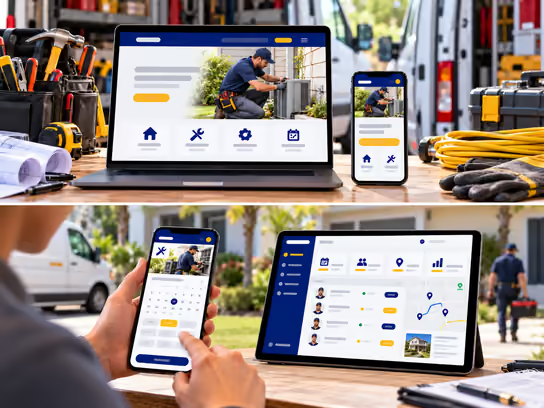
Maintenance companies, home service providers and small businesses need a professional online presence. It helps customers learn about your services, service areas, business hours and how to request service or an estimate. Whether you provide plumbing, electrical, HVAC, cleaning, painting, landscaping or appliance repair services or run another type of small service business, we help you build a website that presents your work clearly. It makes it easy to receive inquiries and service requests and stay in touch with customers.
If your business relies on field teams or needs to organize multiple visits and track estimates, invoices and projects, we can build a web application to help. It can manage service requests, schedule appointments, assign tasks and track job progress and payments. You can start with an informational website and add operational features over time as your business needs them.
2. Types of Websites and Systems
- Informational website for a service company or small business: Presents the company's services, service areas, contact information, business hours and photos of past work that are approved for publication. Example: a website for a company that offers plumbing, electrical and HVAC services, with a page for each service and a form to request a callback or an estimate.
- Service request and appointment booking website: Lets customers choose the service they need, specify the location and preferred time and send details about the problem or project. Example: a customer who needs AC maintenance selects the service type, enters the service address and submits a description of the problem with photos.
- Small business and project portfolio website: Helps companies that offer professional or commercial services present their specialties, work and projects and receive requests from potential customers. Example: a small contracting company that showcases its renovation, painting and flooring installation services, with examples of completed projects and a form to request an on-site assessment.
- Service, team and project management system: A web application that helps business owners organize customer requests, schedule visits, assign tasks to technicians and staff and manage estimates, invoices and job stages. Example: a maintenance company that runs several field teams and needs to know which technician is responsible for each request, the visit time, the job status and the amounts due.
3. Core Website and System Components
Customer and Visitor Interface
- Learn about the company and the services it offers.
- View service areas and business hours.
- Browse photos of projects and past work approved for publication.
- Send a service request or inquiry.
- Request an estimate or an on-site assessment.
- Choose the service type, location and preferred time.
- Upload photos or files that describe the problem or project.
- Receive request and appointment confirmations.
- Sign in to a customer account when available.
- Track the status of a service request or project.
- View and approve estimates online, when this feature is available.
- View and pay invoices online.
- Send feedback or follow-up requests after the service is completed.
Business Owner and Staff Dashboard
- Receive customer requests and sort them by service type.
- Manage customer information and service locations.
- Organize assessment and visit appointments.
- Assign tasks to technicians and staff.
- View daily and weekly work schedules.
- Track the status of requests and projects.
- Prepare estimates and send them to customers.
- Record the materials used and services performed for each job.
- Add notes and photos linked to job stages.
- Prepare invoices and track payments.
- Manage recurring maintenance requests.
- Track customer complaints and warranty requests.
- Record job completion and request customer sign-off when needed.
Administration Dashboard
- Manage staff and technician accounts and permissions.
- Manage service types and coverage areas.
- Organize teams, schedules and resources.
- Set booking and request assignment rules.
- Manage estimates and invoices.
- Track ongoing projects and tasks.
- Manage customers, contracts and maintenance agreements.
- Track inventory and materials, when this feature is included.
- View reports on service requests, operating revenue and recorded expenses.
- Track team performance against defined work metrics.
- Manage branches and geographic areas.
- Manage notification settings and external integrations.
- Review activity logs and oversee security and backups.
4. Supporting Technical Systems
| System | Purpose |
|---|---|
| Customer relationship management (CRM) system | Organize customer information, service requests and follow-up stages |
| Field service management (FSM) system | Organize technician visits, tasks, appointments and job status |
| Appointment booking system | Show available times and receive booking and assessment requests |
| Google Calendar or Microsoft Outlook | Sync staff schedules and appointments |
| Google Maps | Display service areas and locations and help identify service addresses |
| Estimating system | Create and send estimates and track customer approval |
| Project management system | Organize job stages, tasks, resources and timelines |
| Inventory management system | Track materials, spare parts and supplies used for each job |
| QuickBooks or Xero | Integrate with accounting and invoicing when suitable connection options are available |
| Stripe or PayPal | Collect online payments and invoice payments when needed |
| Electronic signature system | Collect approvals and signatures on estimates and suitable contracts |
| Notification system | Send booking confirmations, reminders and request status updates |
| Maintenance contract management system | Organize recurring maintenance agreements, visit schedules and covered services |
| Document management system | Store contracts, invoices, job photos and project-related documents |
| Backup and activity logging | Support data backup and recovery and record important system activities |
Supporting systems can be chosen based on the nature of your business and the size of your team. Small businesses may need only a few features, while companies that manage multiple field teams benefit from connecting bookings, schedules, locations and invoices in one system.
5. Advanced Features
Smart Technician Scheduling and Dispatch
Imagine your company receives maintenance requests from customers in different areas, and you have several technicians working in the field. Instead of manually checking schedules and calling each technician, the system can show new requests and their locations. It can compare them with each technician's service area, skills and availability.
The dispatcher can select an available technician, schedule the visit and send the job details to that technician. After completing the visit, the technician can update the request status and add notes and photos of the work. The system can connect to a mapping service to help organize visits, without assuming that location data or arrival time estimates will be accurate in every situation.
From Service Request to Estimate, Job and Invoice
Imagine a customer sends a request to remodel a kitchen or repair an HVAC system and attaches photos and a description of the work. A staff member can review the request, decide whether an on-site assessment is needed and then prepare an estimate that covers the services, materials and terms of the work.
Once the customer approves, the estimate can be converted into a work order or project in the system. Tasks can be assigned and job stages tracked. When the work is complete, the system can prepare an invoice linked to the job, send it to the customer and update the payment status when payment is recorded. It maintains a record of communications, approvals and changes from the initial request until the job is closed.
6. Development and Operating Cost Levels
Costs vary based on the type of business, number of services and employees, volume of requests, required features, security requirements and external integrations.
| Solution Type | Development Cost | Operating Cost |
|---|---|---|
| Informational website for a small business | Low | Low |
| Service website with an estimate request form | Low to medium | Low |
| Website with appointment booking and service requests | Medium | Low to medium |
| Customer and estimate management system | Medium to high | Medium |
| Field team and task management system | High | Medium to high |
| Integrated project, invoicing and inventory management system | High | High |
| Multi-branch and multi-service-area system | High | High |
Operating costs may include hosting, maintenance, backups, notification and mapping services, third-party subscriptions and payment processing fees. The actual cost depends on the project scope, the number of users and the integrations required.
7. Solution Levels
You can start with a website that presents your company's services and receives customer requests, then add booking, technician management, project management and invoicing over time.
| Feature | Starter | Advanced | Comprehensive |
|---|---|---|---|
| Professional informational website | ✓ | ✓ | ✓ |
| Service and service area pages | ✓ | ✓ | ✓ |
| Work and project gallery | ✓ | ✓ | ✓ |
| Contact and estimate request form | ✓ | ✓ | ✓ |
| Business hours and contact information | ✓ | ✓ | ✓ |
| Online appointment booking | — | ✓ | ✓ |
| Customer request management | — | ✓ | ✓ |
| Staff and technician dashboard | — | ✓ | ✓ |
| Visit schedule management | — | ✓ | ✓ |
| Estimate preparation | — | ✓ | ✓ |
| Service request status tracking | — | ✓ | ✓ |
| Automated reminders and notifications | — | ✓ | ✓ |
| Project and job stage management | — | — | ✓ |
| Task assignment by location and availability | — | — | ✓ |
| Recurring maintenance contract management | — | — | ✓ |
| Inventory and spare parts management | — | — | ✓ |
| Online invoices and payments | — | — | ✓ |
| Accounting software integration | — | — | ✓ |
| Advanced permissions and activity logs | — | — | ✓ |
| Advanced operational and management reports | — | — | ✓ |
| Support for multiple branches and service areas | — | — | ✓ |
These levels are examples to help define the project scope, not fixed packages. We define the final features and costs in a project quote based on your services, staffing, project volume and existing systems.
8. Legal and Privacy Considerations
Maintenance companies, home service providers and small businesses handle personal and business information. This includes customer names, home addresses, phone numbers, visit times, property photos, contracts, invoices and payment information. Legal requirements may vary by type of service, state and contract terms. When building a website or web application for this industry, the following points should be considered:
- Professional licensing: Some electrical, plumbing, HVAC and contracting services may require specific professional licenses or permits. Having a website or booking system does not mean the company is licensed to provide these services.
- Customer data protection: U.S. state privacy laws, such as the California Consumer Privacy Act (CCPA), may apply depending on the nature of the business, the volume of data and the law's scope.
- Home addresses and location information: Address data, visit times and property access information should be protected, and the staff authorized to view them should be defined.
- Photos and documents: Appropriate consent should be obtained before publishing photos of customers' homes or projects or using them for marketing.
- Estimates and contracts: Home service and contracting agreements may be subject to specific requirements for disclosures, payment terms, cancellation and warranties, depending on the state and the type of work.
- Electronic signatures: The use of electronic signatures may be subject to laws such as the E-SIGN Act and applicable state laws. Using an e-signature service does not guarantee that every contract or document is valid.
- Online payments: Processing payment card data may require following standards such as PCI DSS, depending on the payment method and the parties involved in processing.
- Text and marketing messages: Some automated communications and marketing messages may be subject to laws such as the Telephone Consumer Protection Act (TCPA), along with consent and opt-out rules.
- Technician location and tracking: Collecting location data for employees or technicians may be subject to privacy, notice and consent requirements, depending on the state and the nature of the work relationship.
- Employees and independent contractors: Different legal requirements may apply to worker classification and recordkeeping. A technical system alone does not determine a worker's legal status.
- Recurring maintenance agreements: Subscriptions or automatically renewing maintenance agreements may be subject to disclosure, consent and cancellation requirements.
- Digital accessibility: Accessibility requirements under the Americans with Disabilities Act (ADA) or other applicable laws may apply. WCAG standards can provide technical guidance for digital accessibility.
- Analytics and advertising tools: Privacy policies and appropriate disclosures should be considered when using tools such as Google Analytics, Google Ads and Meta Pixel.
We can build technical features that help organize customer data, control permissions and manage requests, contracts and payments. However, identifying applicable legal and professional requirements and verifying compliance require an independent assessment by the company and its qualified advisors. Implementing security features or using well-known third-party services does not guarantee compliance with any specific law or standard.
9. Start Building Your Business's Digital Presence
Whether you provide home maintenance services independently, run a small service business or manage field teams and multiple projects, we help you choose the right digital solution. That can range from a professional website that presents your services and receives customer requests to a web application for managing appointments, technicians, projects and invoices. You can add new features as your business grows.