 USA GREAT
Home and Office Cleaning Companies
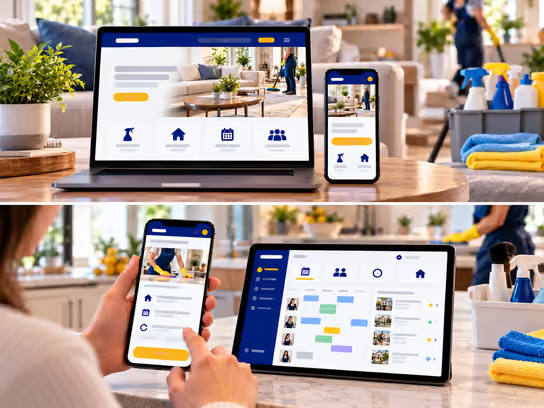
1. Digital Solutions for Home and Office Cleaning Companies
Home and office cleaning companies need a website that explains the differences between recurring cleaning, deep cleaning, move-in/move-out cleaning, carpet and upholstery cleaning, and post-renovation cleaning. We help you present your services, service areas, and ways to request a visit or an on-site assessment, while making clear what customers need to know before booking.
If your company manages cleaning teams that visit multiple locations or provides recurring service, we can develop a web application to organize bookings, site-specific checklists, team assignments, visit histories, and invoices. You can start with an informational website and gradually add scheduling and tracking features.
2. Types of Websites and Systems
- Informational website for a cleaning company: Showcases home, office, carpet, and upholstery cleaning services and service areas. Example: a company explains what its recurring cleaning service includes and excludes.
- Website for deep cleaning or move-in/move-out requests: Collects the property type, approximate size, visit requirements, and preferred date. Example: a customer requests cleaning for a home before moving in.
- Website for recurring cleaning bookings: Lets customers request repeat visits on a schedule approved by the company. Example: an office requests weekly cleaning with a defined task checklist.
- Cleaning team and location management system: A web application that organizes visits, teams, checklists, and protected property-access instructions. Example: a company assigns teams to homes and offices across different areas.
3. Core Website and System Components
Customer and Visitor Interface
- Learn about recurring, deep, and specialized cleaning services.
- View service areas and business hours.
- Understand the scope of each service and which jobs may require an assessment.
- Request cleaning for a home, office, carpet, or upholstery.
- Specify the property type, approximate size, and preferred appointment time.
- Request move-in, move-out, or post-renovation cleaning.
- Add notes about requested tasks or areas to exclude.
- Attach property photos when needed and with the customer's consent.
- Request a recurring visit schedule.
- Receive booking confirmations and reminders.
- Review and approve an estimate when this feature is available.
- Request to reschedule or cancel under the company's policy.
- Track visit status and invoices through a private account when provided.
Business Owner and Staff Dashboard
- Receive and categorize cleaning requests by service type.
- Review property type, requested tasks, and visit location.
- Estimate visit duration and appropriate staffing based on the company's assessment.
- Assign teams by appointment and service area.
- Create a checklist for each home or office.
- Show access instructions only to authorized staff.
- Record visit start and end times and task status.
- Add authorized notes and photos when needed.
- Track recurring cleaning visits and schedule changes.
- Record supplies and materials used when this feature is available.
- Prepare estimates and invoices and track payments.
- Receive follow-up requests related to a visit.
Administration Dashboard
- Manage worker and supervisor accounts and permissions.
- Manage cleaning service types and the scope of each service.
- Set service areas and available visit times.
- Manage teams, schedules, and recurring visits.
- Create home and office cleaning checklist templates.
- Set rules for accessing property-entry information.
- Manage estimates, contracts, and invoices.
- Organize recorded materials, supplies, and equipment.
- Track completed and canceled visits.
- Manage customer requests and recorded quality notes.
- View reports on teams, visits, and recorded revenue.
- Review activity logs and oversee security and backups.
4. Supporting Technical Systems
| System | Purpose |
|---|---|
| Customer relationship management (CRM) system | Organize customers, service locations, and cleaning requests |
| Appointment booking system | Receive visit requests and manage available appointment times |
| Field service management (FSM) system | Assign cleaning teams and track visit completion |
| Checklist management system | Define cleaning tasks for each location and record completion |
| Recurring visit management system | Organize repeat schedules, changes, and cancellations |
| Protected access information system | Restrict access to key instructions, door codes, and times when occupants are away |
| Google Calendar or Microsoft Outlook | Sync team schedules and visit appointments |
| Google Maps | Help organize locations and service areas |
| Estimate management system | Prepare estimates for deep or specialized cleaning |
| Supplies management system | Track recorded equipment and materials |
| Stripe or PayPal | Collect online payments when needed |
| Electronic signature system | Collect approvals for appropriate contracts |
| Notification system | Send booking confirmations, reminders, and visit updates |
| Backups and activity logs | Support data recovery and record important actions |
A small team may only need a website with a cleaning request form. A company providing recurring visits to multiple homes and offices may benefit from connecting checklists, schedules, and protected access instructions in one system.
5. Advanced Features
Recurring Cleaning with Site-specific Checklists
Imagine a family requesting recurring cleaning for their home while an office requests cleaning on specific days with different tasks. A staff member can create a schedule for each location and link it to a checklist covering the rooms or areas to be cleaned and anything excluded from the agreement.
When the team arrives, it can see its authorized tasks and record completed work and visit notes. If the customer requests a change in scope, a staff member reviews it before updating the schedule or estimate. The system does not assume that every recurring visit has the same requirements.
Team Scheduling and Protected Property Access
Imagine your company scheduling visits to homes while the owners are away. A supervisor needs to assign teams, but key instructions, door codes, and information about when homeowners are absent are sensitive and should not be visible to every employee.
The system can restrict access to entry instructions based on the assignment and staff permissions, log access to important information, and update it as needed. The company remains responsible for procedures governing key handoffs, incident response, and property protection. The system cannot guarantee that all unauthorized access will be prevented.
6. Development and Operating Cost Levels
Costs vary based on the size of the business, number of customers, teams, and locations, booking and tracking features, payments, security requirements, and third-party integrations.
| Solution type | Development cost | Operating cost |
|---|---|---|
| Informational website for cleaning services | Low | Low |
| Website for cleaning and assessment requests | Low to medium | Low |
| Website with recurring visit bookings | Medium | Low to medium |
| Team and checklist management system | Medium to high | Medium |
| Integrated scheduling, location, and invoicing system | High | Medium to high |
| System for multiple teams and service areas | High | High |
Operating costs may include hosting, maintenance, backups, notification and mapping services, third-party subscriptions, and payment processing fees. Actual costs depend on the project scope, number of users, and required integrations.
7. Digital Solution Levels
You can start with a website that presents your cleaning services and receives requests, then gradually add booking, staff management, visits, agreements, and invoicing as your business needs evolve.
| Feature | Starter | Advanced | Comprehensive |
|---|---|---|---|
| Professional informational website | ✓ | ✓ | ✓ |
| Specialized cleaning service pages | ✓ | ✓ | ✓ |
| Service areas and contact information | ✓ | ✓ | ✓ |
| Inquiry and cleaning request form | ✓ | ✓ | ✓ |
| Service scope and terms | ✓ | ✓ | ✓ |
| Online visit booking | — | ✓ | ✓ |
| Recurring cleaning requests | — | ✓ | ✓ |
| Staff and supervisor dashboard | — | ✓ | ✓ |
| Cleaning team schedule management | — | ✓ | ✓ |
| Estimate preparation | — | ✓ | ✓ |
| Site-specific checklists | — | ✓ | ✓ |
| Automated reminders and notifications | — | ✓ | ✓ |
| Team assignments by area and availability | — | — | ✓ |
| Permission-based protection of entry instructions | — | — | ✓ |
| Task completion and visit notes | — | — | ✓ |
| Materials and supplies management | — | — | ✓ |
| Electronic invoicing and payments | — | — | ✓ |
| Advanced permissions and activity logs | — | — | ✓ |
| Advanced operational and administrative reports | — | — | ✓ |
| Support for multiple teams and service areas | — | — | ✓ |
These levels illustrate ways to define a project scope; they are not fixed packages. We determine the final features and cost through a project estimate based on your services, staff, locations, and existing systems.
8. Legal and Privacy Considerations
A cleaning company may handle customer names, service addresses, phone numbers, appointment times, photos, contracts, invoices, and payment information. Legal requirements may vary by service type, state, and contract. When developing a website or web application for this industry, consider the following:
- Licensing and business requirements: Cleaning services may be subject to local registration or licensing requirements depending on the state and type of service. Creating a website does not satisfy those requirements.
- House keys and entry codes: Keys, door codes, access instructions, and information about when homeowners are away should be treated as sensitive information. Collection should be minimized and access restricted.
- Property protection and privacy: Companies should establish clear procedures for entering properties, safeguarding customer information, and responding to incidents. A digital system does not replace on-site company procedures.
- Photos inside homes and offices: Appropriate permission should be obtained before photographing customer property, publishing images, or using them for marketing.
- Insurance and bonding: Terms such as *insured* or *bonded* should be displayed only when the relevant coverage or bond actually exists and matches the advertised scope.
- Cleaning agreements and cancellations: Recurring cleaning agreements, cancellation fees, and automatic renewals may be subject to disclosure, consent, and cancellation requirements under state law.
- Employees and contractors: Worker classification and recordkeeping requirements may differ. A technical system does not determine a worker's legal classification.
- Customer data protection: State privacy laws, such as the California Consumer Privacy Act (CCPA), may apply depending on the business, the volume of data, and the law's scope.
- Electronic signatures: Electronic signatures may be governed by the E-SIGN Act and applicable state laws. Using an e-signature tool does not guarantee that every contract or document is legally valid.
- Online payments: Handling payment card data may require compliance with PCI DSS standards, depending on the payment method and the parties processing the data.
- Text messages and marketing: Some automated calls and marketing messages may be subject to laws such as the Telephone Consumer Protection Act (TCPA), including consent and opt-out requirements.
- Digital accessibility: Accessibility obligations may apply under the Americans with Disabilities Act (ADA) or other laws, depending on the business. WCAG guidelines can serve as a technical reference.
- Analytics and advertising tools: Appropriate privacy policies and disclosures should be considered when using tools such as Google Analytics, Google Ads, and Meta Pixel.
We can develop technical features to help organize customer data, control access permissions, and manage requests, agreements, and payments. However, determining applicable legal and professional requirements and verifying compliance requires an independent assessment by the company and its qualified advisers. Implementing security features or using well-known third-party services does not guarantee compliance with any particular law or standard.
9. Start Building Your Cleaning Business's Digital Presence
Whether you provide recurring or deep home cleaning, office, carpet, or upholstery cleaning, or move-in and post-renovation cleaning, we help you choose the right solution. That may be a website for receiving requests or a web application for managing teams, checklists, and recurring visits while protecting entry information. You can add more features as your business grows.